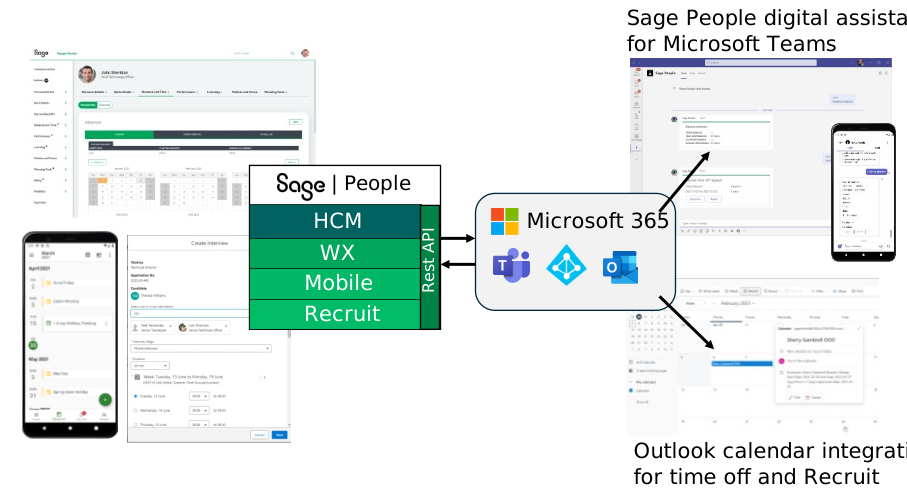
Sage People provides a set of integration capabilities to connect your system to Microsoft 365 tools including Microsoft Teams and Outlook calendar.
This help is for system administrators who are setting up integration between Sage People and Microsoft 365 products in their organization.
Microsoft Teams integration
The Sage People digital assistant for Microsoft Teams provides access to your organization's time off processes. It does this using a chatbot that lives inside Microsoft Teams.
The digital assistant lets team members and managers perform common tasks directly in Microsoft Teams. This includes things like booking vacation, checking absence balances, and approving absence requests. You can do this without having to open a different interface.
Microsoft Outlook Calendar integration
Sage People integrates with the Microsoft Outlook calendar. This lets you add manager-approved absences that team members book in Sage People. It also lets you add interview details you've booked using the Recruit Outlook interview scheduler.
Calendar integration lets users get visibility of Sage People events, such as absences and interviews. It allows employees to work effectively on the go, using the tools and devices they use every day.