Redesigned Org Chart experience
Discover our further enhancements to the Sage Org Chart experience. These updates build on the redesigned Org Chart we delivered earlier and focus on improving transparency and understanding reporting relationships.
This iteration delivers a better navigation experience and clearer visibility of reporting lines. It's now also easier to grasp hierarchy and relationships. You can find people more easily, work more efficiently, and reduce reliance on HR teams for basic queries.
See more of the reporting line
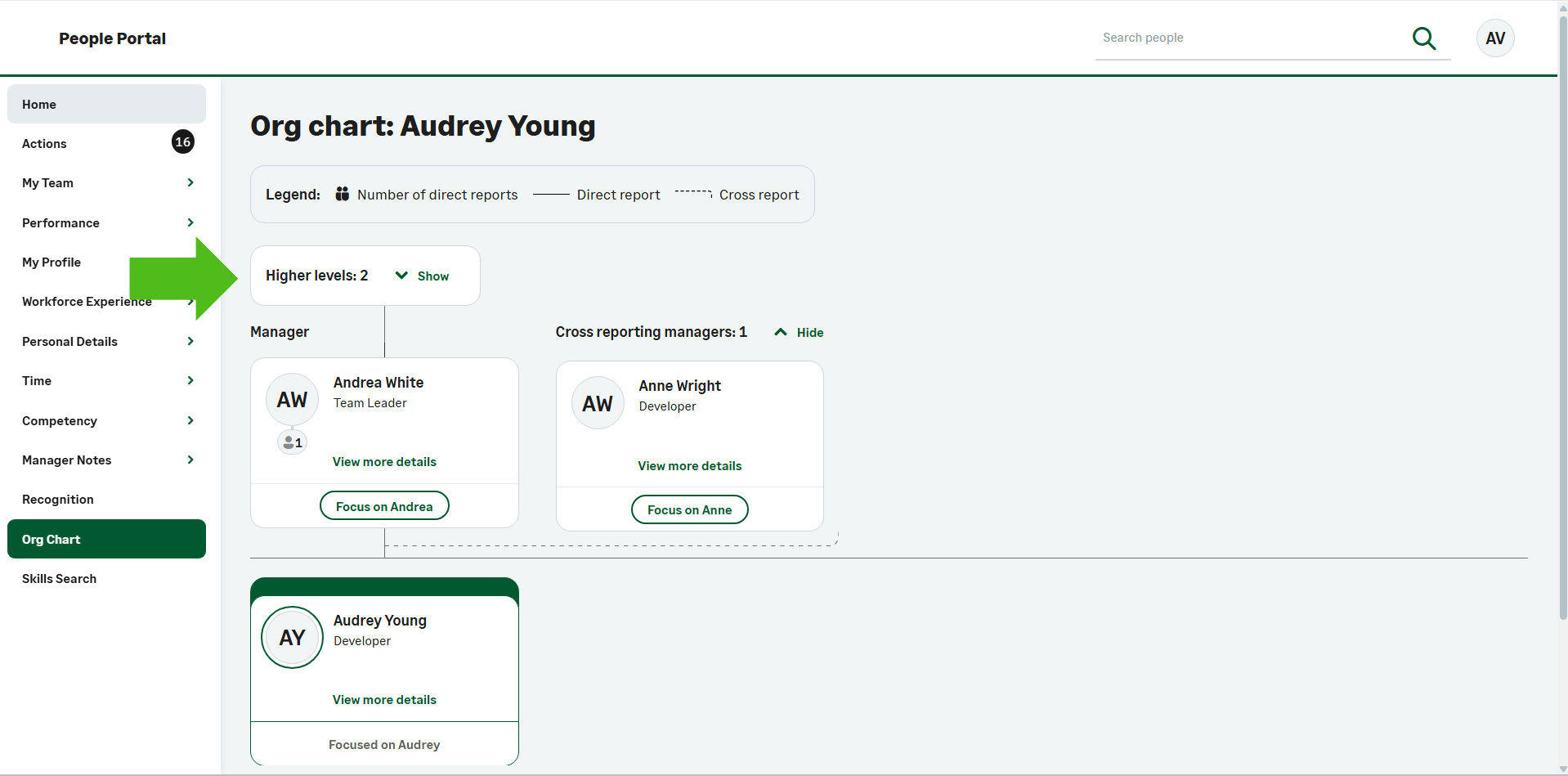
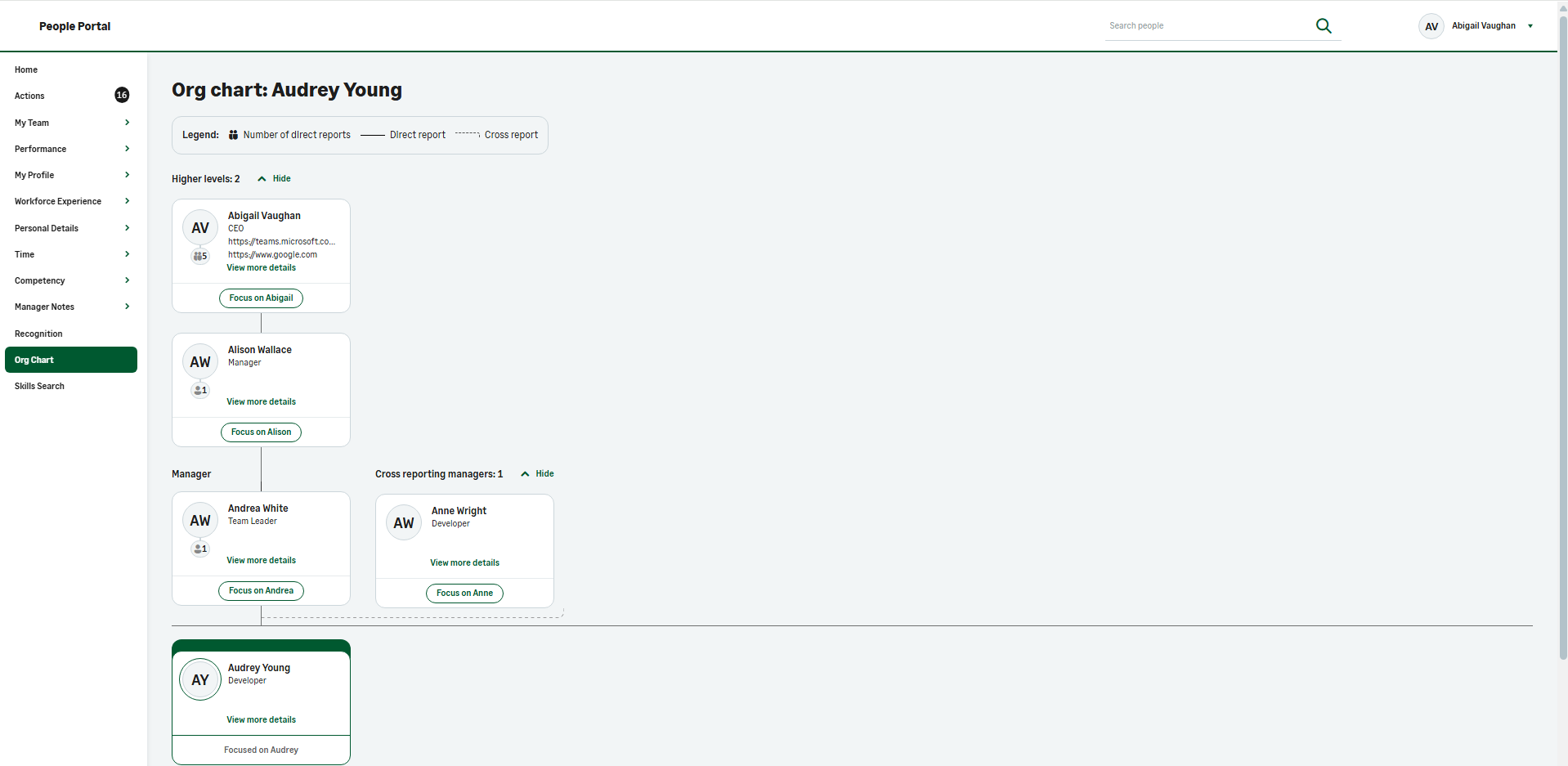
You can now view higher level managers in the Org Chart. The system displays this in a dedicated Higher levels section, which is hidden by default and users will expand it when they need to. If there are no higher level managers to show, the section isn't visible. The system has a limit of 24 Higher levels that it displays.
New View Details side bar for additional context
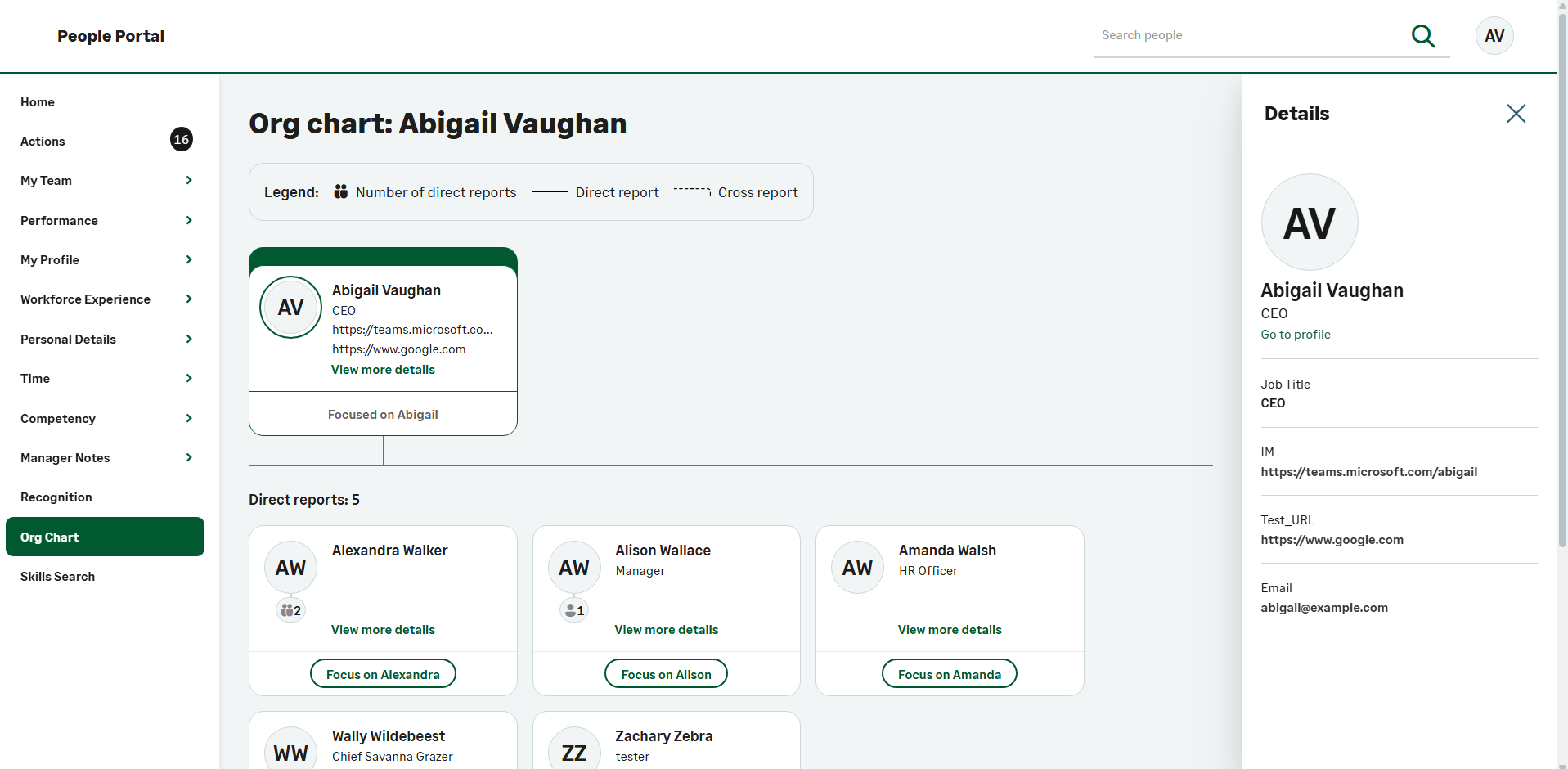
The Org Chart now includes a View Details sidebar, giving you more detail without losing your place in the chart. When you click View more details on a card, the sidebar displays the manager and cross-reporting manager details of the team member. It also displays the values from the Org Chart contact details field set.
More useful information on each card
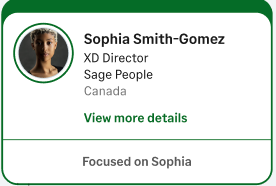
The Org Chart cards can now display the top three populated fields from the contact details field set. This means you can decide which details appear on cards through configuration. The system skips empty fields so the cards remain concise and readable. If any of the top three fields don't have values, the system displays the next field in the field set with a value.
Improved relationship rendering
Previously, the Org Chart displayed only 10 cards at a time. We've enhanced this to let you render up to 500 team member cards. The display order is Self card, Manager card, Direct reports cards, Cross reporting manager card, Cross report cards and finally, Colleagues cards. The Org Chart contact details field set controls which fields the system displays. The hierarchy the system displays doesn't include higher-level managers.
Clearer behavior in very large organizations
when an Org Chart contains more than 500 relationships or cards, the page displays an information message and shows the first 500 cards. It does this rather than attempting to render everything at once. The cards the system displays prioritize the subject, manager, and direct reports, followed by cross-reporting relationships and finally, colleagues.
For example, a team member has 200 direct reports, 100 cross reports, one manager, five cross reporting managers and 200 colleagues. The Org Chart displays the subject card first (one). Then it shows the manager (one), then direct reports (200), then cross reporting managers (five), then cross reports (100), and finally, part of the colleagues. Only 193 of the 200 colleagues will display. The system shows a message highlighting that only part of the colleagues are visible.
Improved section counts when limits are reached
When card limits affect what the system displays, the Org Chart now shows section counts in the headings. This means you still have visibility of the wider structure, even when you can't see every card on screen.
Improved visibility of unassigned reporting structures
The Org Chart now helps organizations identify reporting lines that still require attention after an employee leaves. Where a former employee had direct reports that you haven't yet reassigned, the Org Chart displays a Former Employee placeholder card and hides personal details. Users can focus on the placeholder card to view the affected direct reports and complete any necessary reassignment activities. Once you've reassigned all direct reports, the system removes the placeholder automatically from the Org Chart.
Enable new Org Chart Redesign
-
Go to Setup and select Installed Packages.
-
Select Sage People Human Capital Management, and go to Configuration.
-
Go to the Features section and select the Org Chart Redesign option.
-
Click Save.