Time Off improvements
We've enhanced the Sage Time off experience to make absence easier to understand and more accessible for all users.
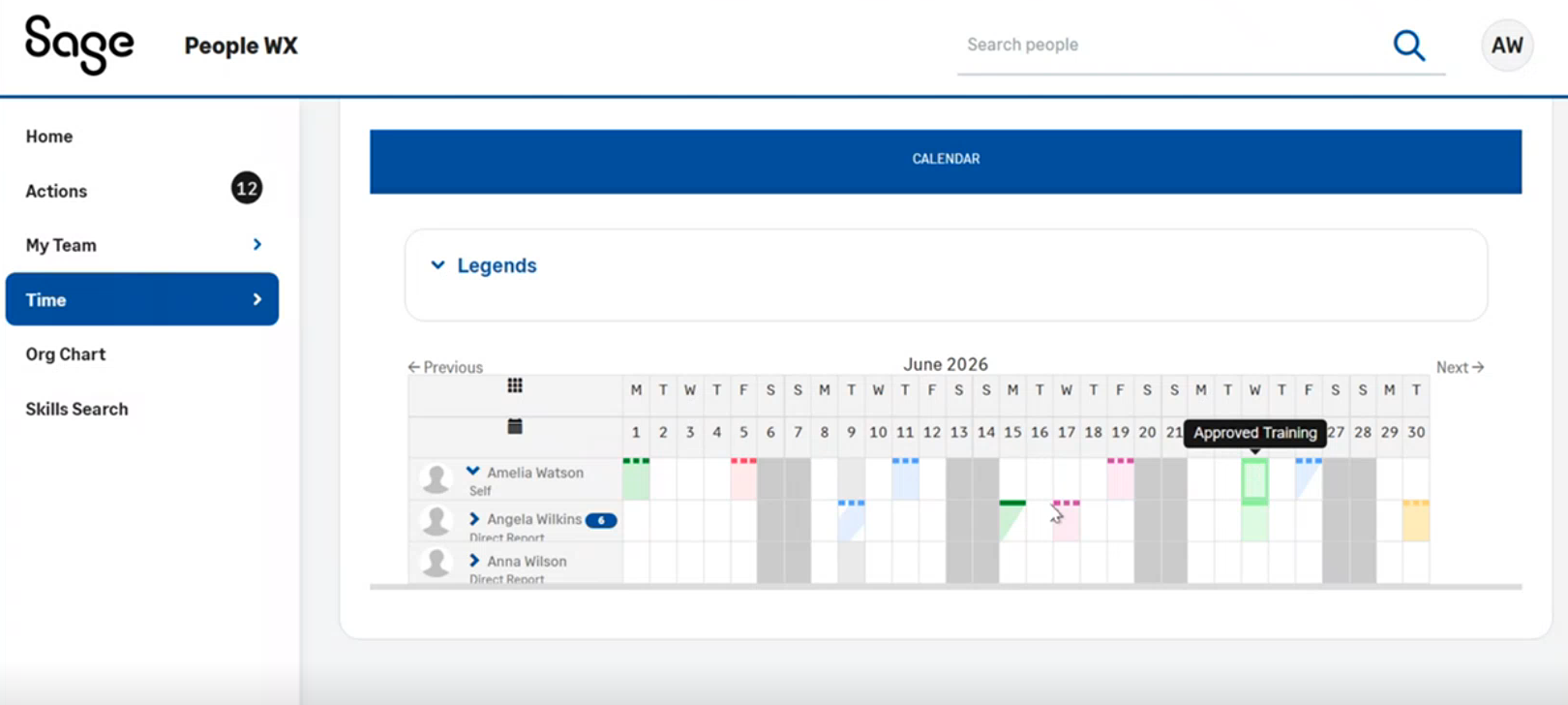
The Time Off Calendar and Team View now have improved color schemes, clearer status indicators and we've updated the legend. These changes help you identify approved absences, pending requests, partial-day absences, and public holidays quickly. You can do so with more confidence and consistency. These changes don't require any setup or permission changes.
Refreshed Time Off Calendar colors
To align with the latest design standards, the Time Off Calendar now uses new colors. These refinements improve the visual distinction between different absence types and statuses. This makes the calendar easier to interpret at a glance.
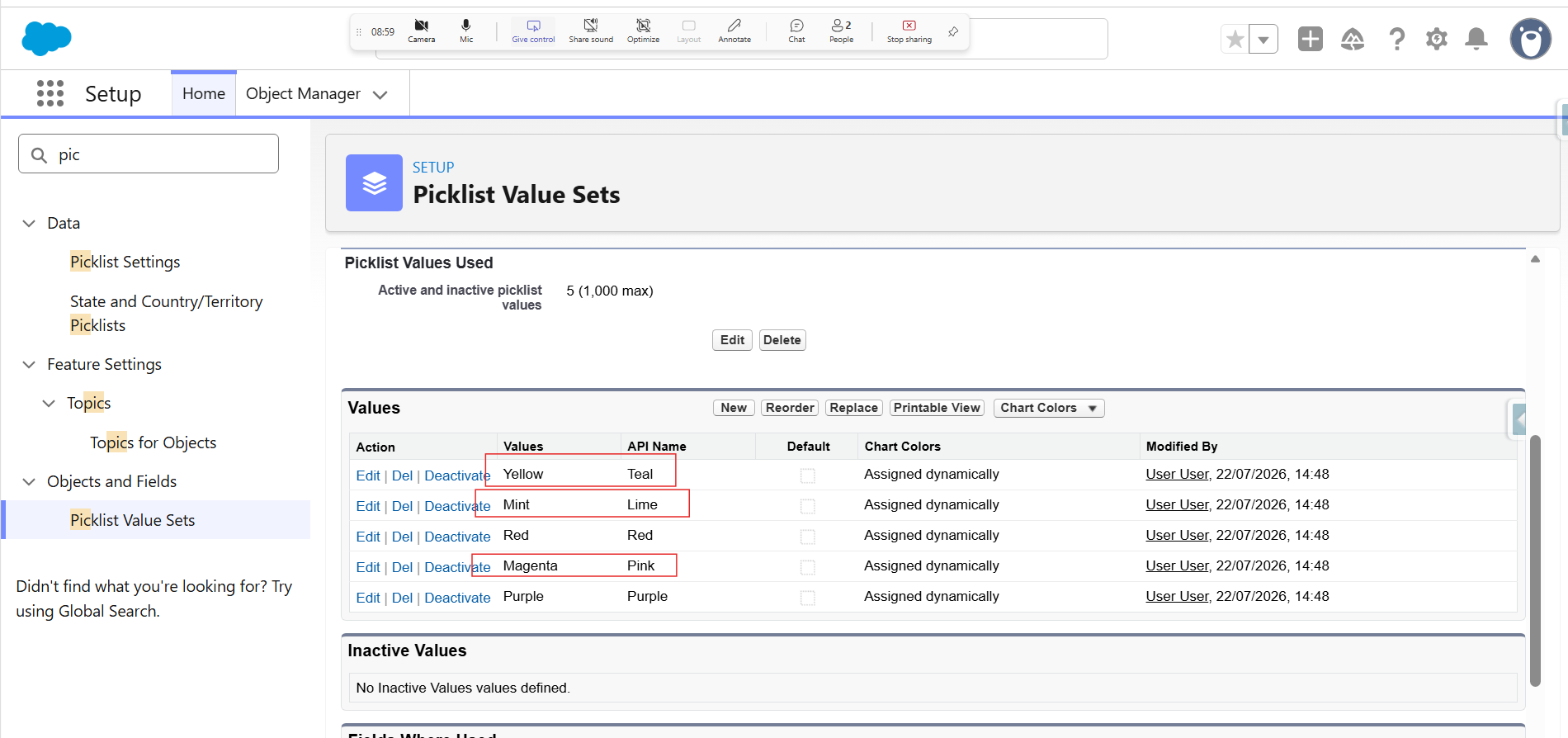
Updated colors:
-
Teal is now Yellow
-
Lime is now Mint
-
Red remains unchanged
-
Pink is now Magenta
-
Purple remains unchanged
-
Go to Setup and select Global Picklist Value Sets.
-
Open the Absence Category value set and select Edit.
-
Review the labels and update them as you need. Any custom labels, for example PTA, are reflected in the application.
-
Click Save and verify the system is now displaying the correct color and label.
Updated calendar legend
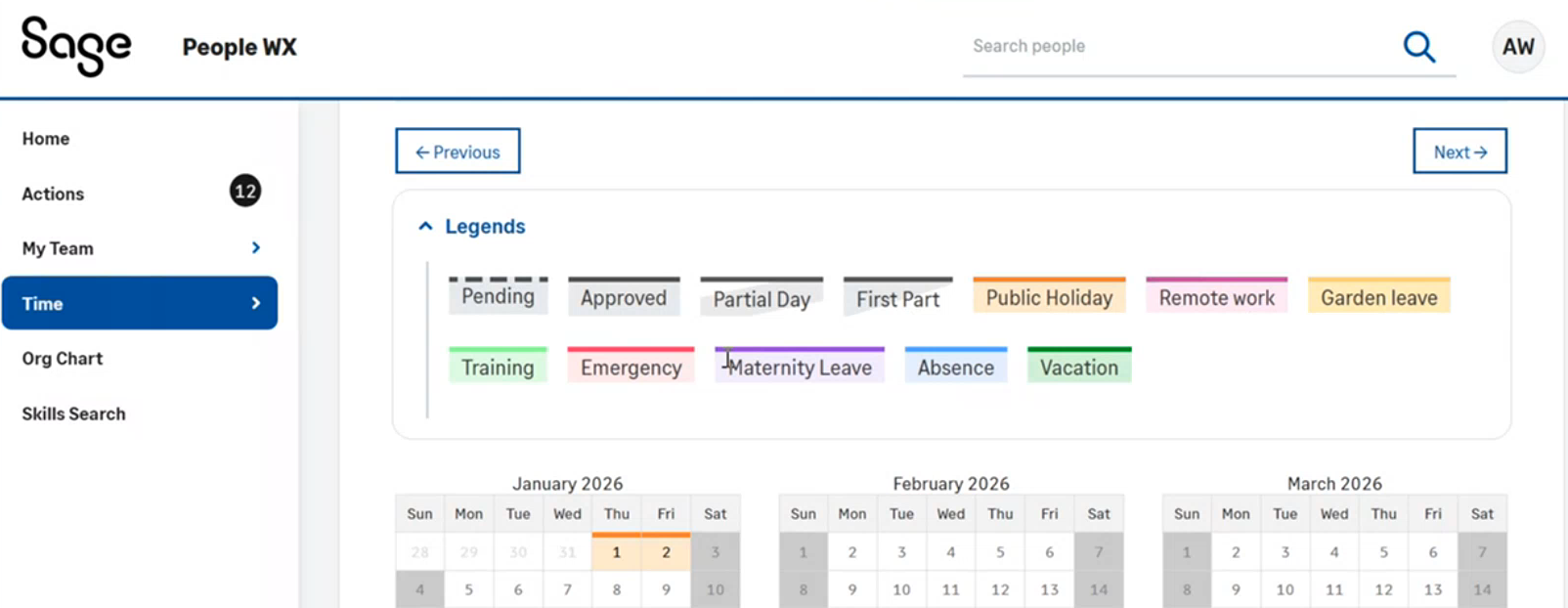
We've redesigned the calendar legend to reflect the new visuals. This lets you clearly understand the meaning of each color and status indicator.
Team View enhancements
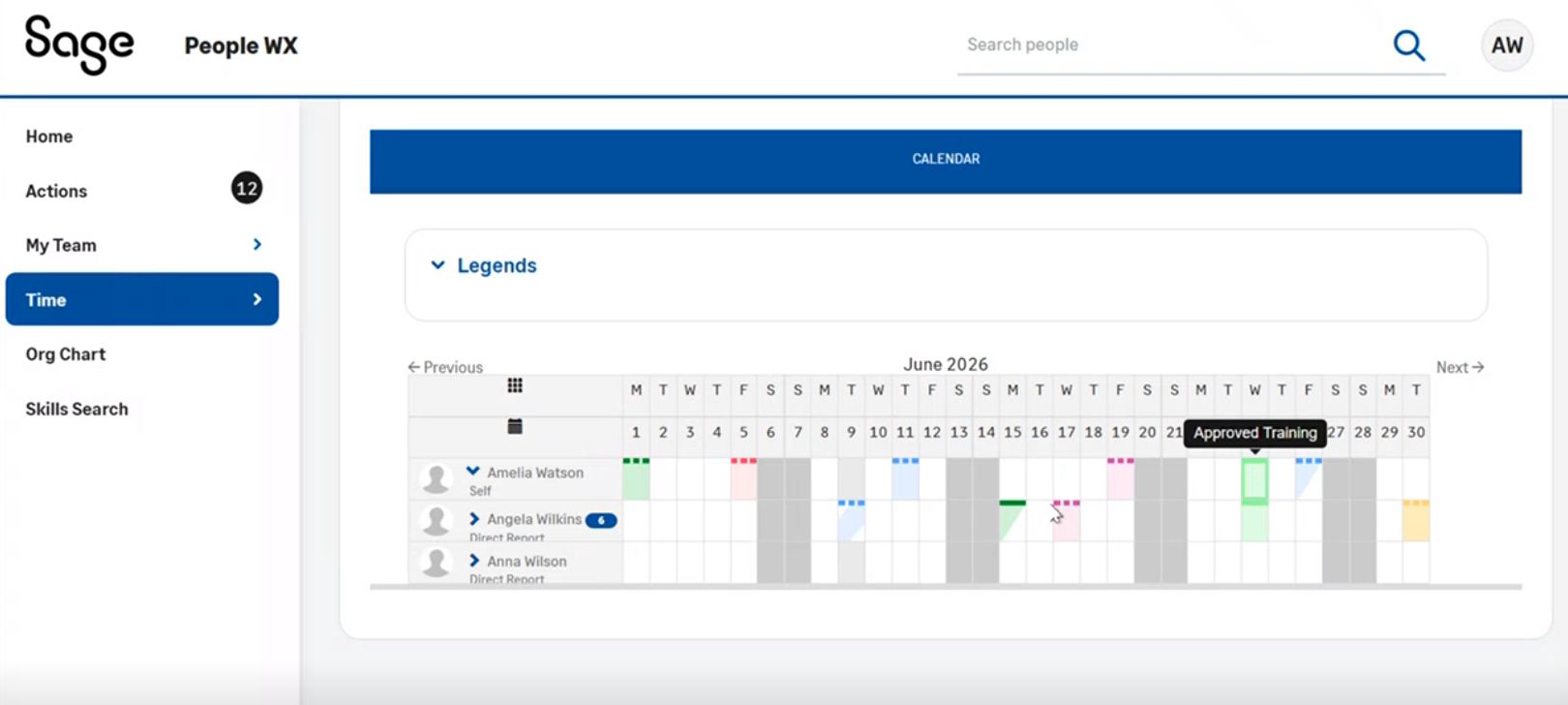
We've applied the same color and accessibility improvements to the Time Off Team View. This provides a more consistent experience across workforce planning and absence management screens.