Learn more about Skills in Sage People.
The Skills process lets you record a team member's skills for use in career planning and succession planning. Skills within Sage People are the technical abilities or knowledge a user needs to perform a job. This is a broad concept and the details will vary significantly from company to company. You define the skills your company requires in the Skill Library by the HR manager. Managers and team members set the level of ability of team members against skills they select from the Skill Library.
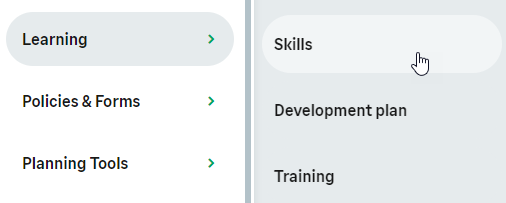
To view your skills in the menu, select the Skills process:
WX displays the Skills page:
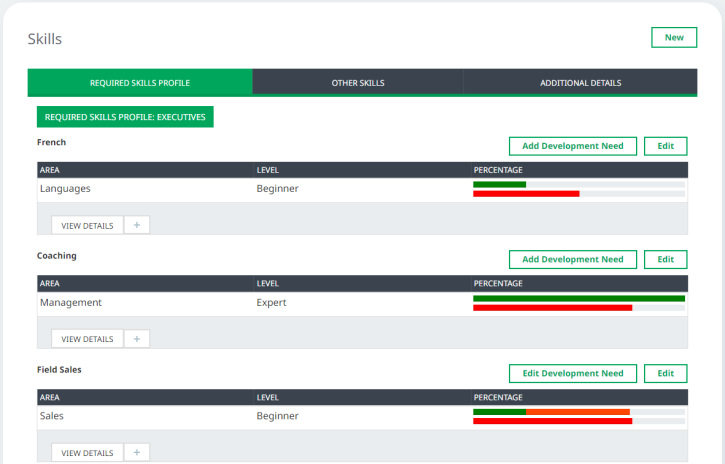
The tabs show:
- Required Skills Profile
Your current skill levels in relation to your Job Profile and Development Needs
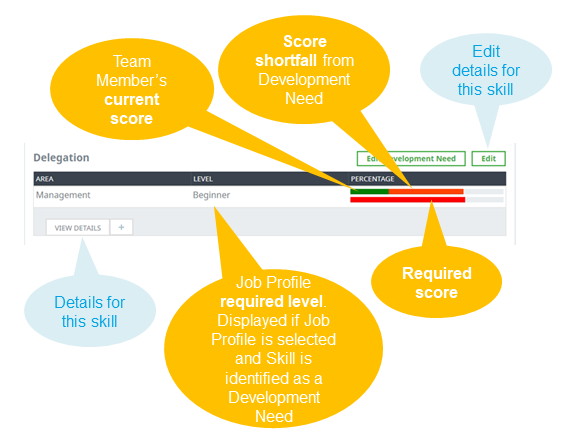
If you don't have a Job Profile, the Required Skills Profile tab displays None.
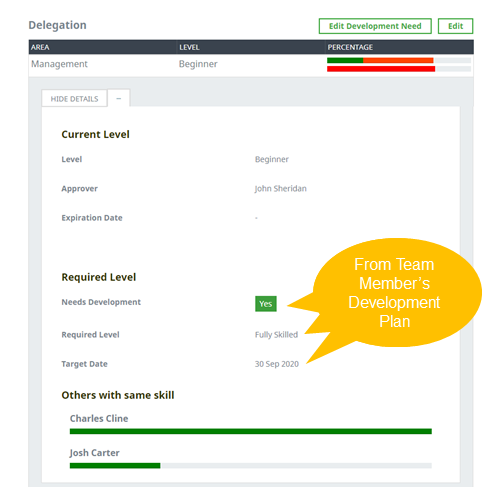
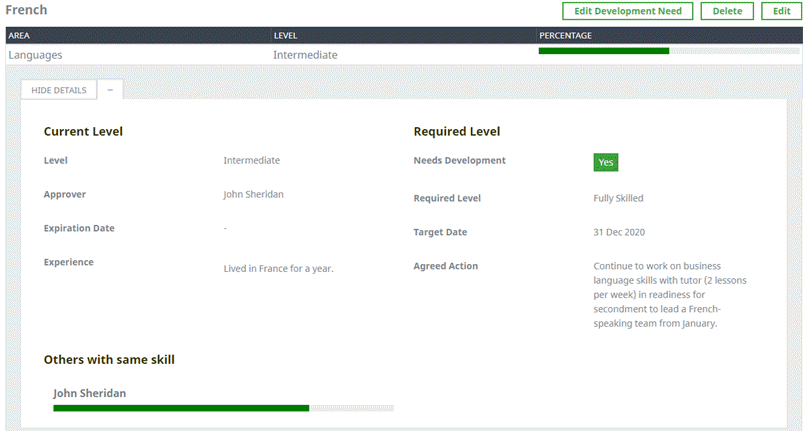
To display full details for a single Skill, select View Details:
-
Other Skills
Your recorded skills, not related to your Job Profile:
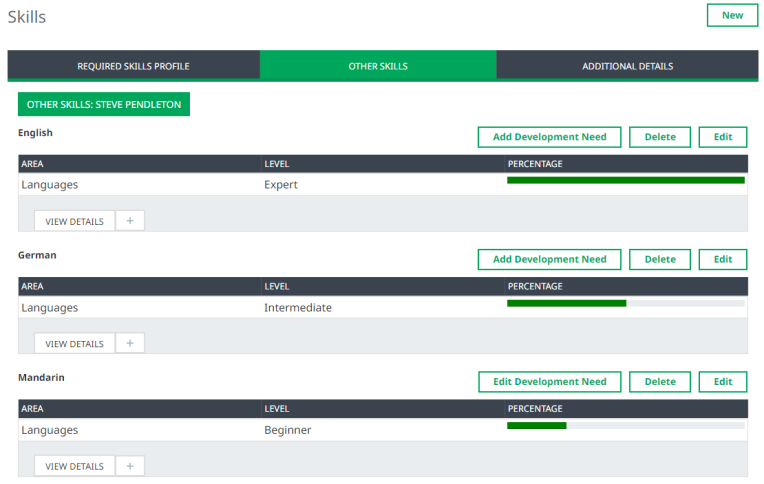
To view more information about a Skill, including current level, required level, and others with the same skill, select View Details.
-
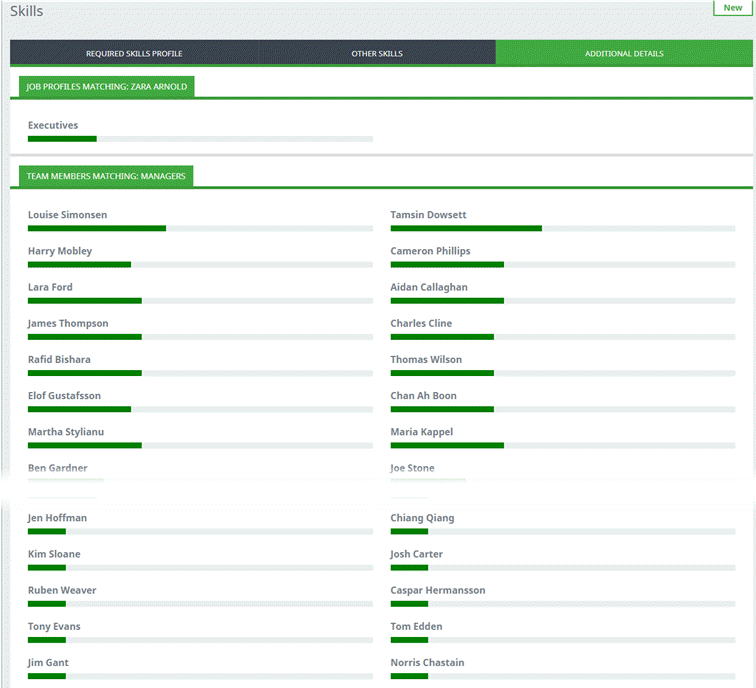
Additional Details
-
The relationship between your skills and those other Job Profiles require
-
Other Team Members with skills matching those your Job Profile requires
In both cases, longer bars indicate a closer match.
-
To disable the Skills process and hide the Skills Search in WX, disable the Skills policy option for your users.