Talent Plan is a team process available to managers with one or more direct reports.
You can view talent plans for reports two levels down the org chart from you. Manager two levels up from you can view the talent plan for your direct reports. For example, your manager's manager can see the plans of their own direct reports, and the plan for your direct reports. This encompasses team members across three org chart levels.
There's a processing limit of 1000 employees for the number of Team Members the system displays in the Talent Plan. If the three org chart levels below the subject contain more than 1000 employees, the system only retrieves and displays the first 1000 Team Members.
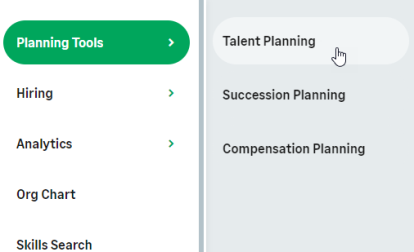
In the menu, select the service that hosts the Talent Planning process:
The Talent Plan page for your team is displayed. There are two Talent Plan views:
If your org is configured to display both views, switch between them by selecting the button at the top right of the page:

