Enhancements to Feedback and Objectives in WX
Following customer responses, we’ve made some updates to how you’ll see Feedback and Objectives in Sage People WX. Rather than working to your performance review cycle, recent requests will now be based on the last 12 months.
Team member view
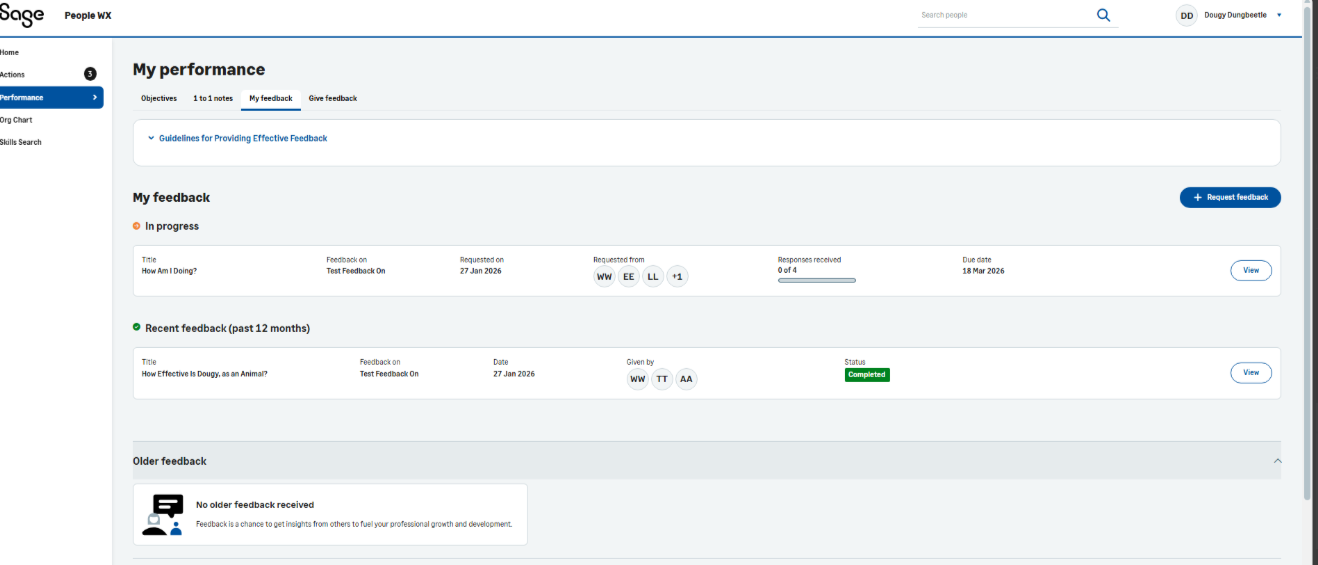
Team members can now see a list of Recent feedback (past 12 months) under My feedback and Give Feedback in My perormance.
Manager view
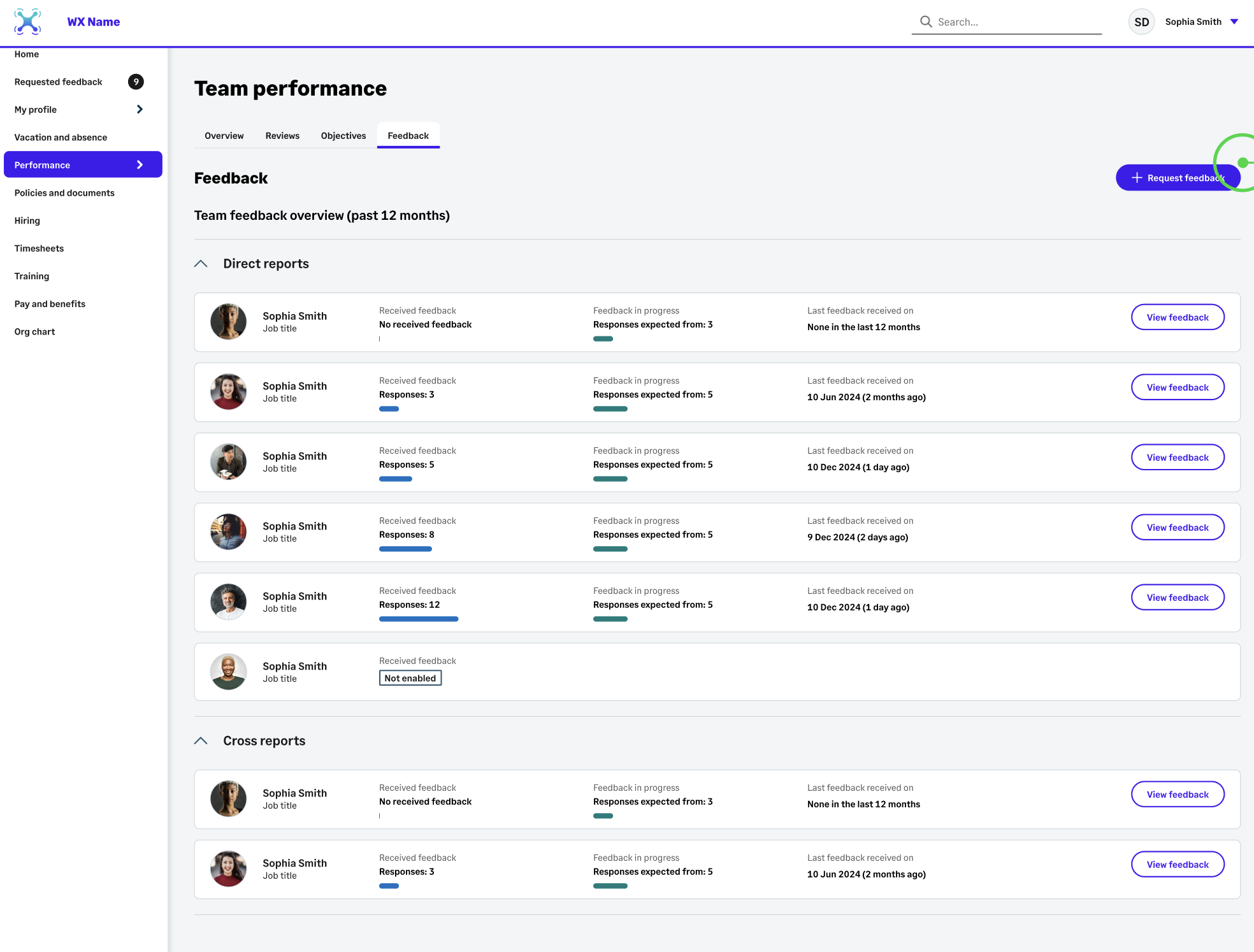
Managers can now view a list of Recent feedback (past 12 months) in Team performance, showing all feedback requests. Clicking into direct reports will show individual Recent feedback (past 12 months) for team members.
Show Supporting Information change
We’ve changed the name of the Show supporting information button to now read Show performance information and made it easier to access from the sidebar.
Text area fields
Fields you use on performance review pages, objectives, objective tasks and feedback now automatically adjust to increase in height to match the amount of text.