SOAP API retirement
What's happening?
Salesforce is retiring the SOAP API username and password login method in Summer ’27. This is the legacy login approach older integrations use. They send a username and password directly to Salesforce to obtain a session ID.
To help organizations prepare, Salesforce will introduce admin controls in Summer ’26. These allow you to turn off this legacy login method early.
When is this happening?
-
Summer '26:
-
A new admin setting becomes available to disable the legacy SOAP username and password login
-
In newly created orgs, this login method is disabled by default
-
-
Summer '27:
-
The SOAP username and password login method is fully retired
-
You can't re-enable it
-
Will this affect you?
This will affect you if:
-
You use DocuSign and it's still authenticating to Salesforce using the old SOAP username and password login method
-
You have any custom integrations that still authenticate using SOAP username and password log in rather than OAuth
Recommended action
-
For DocuSign: update your configuration to use OAuth authentication instead of the legacy SOAP login
-
For custom integrations: contact the integration provider to confirm whether they use SOAP username/password login. If they do, request guidance on moving to an OAuth‑based method
For more information, see the Salesforce article Platform SOAP API login retirement.
How to check if you're using SOAP API access
To check yourself, you can review login history.
-
Go to Setup and select Login History.
-
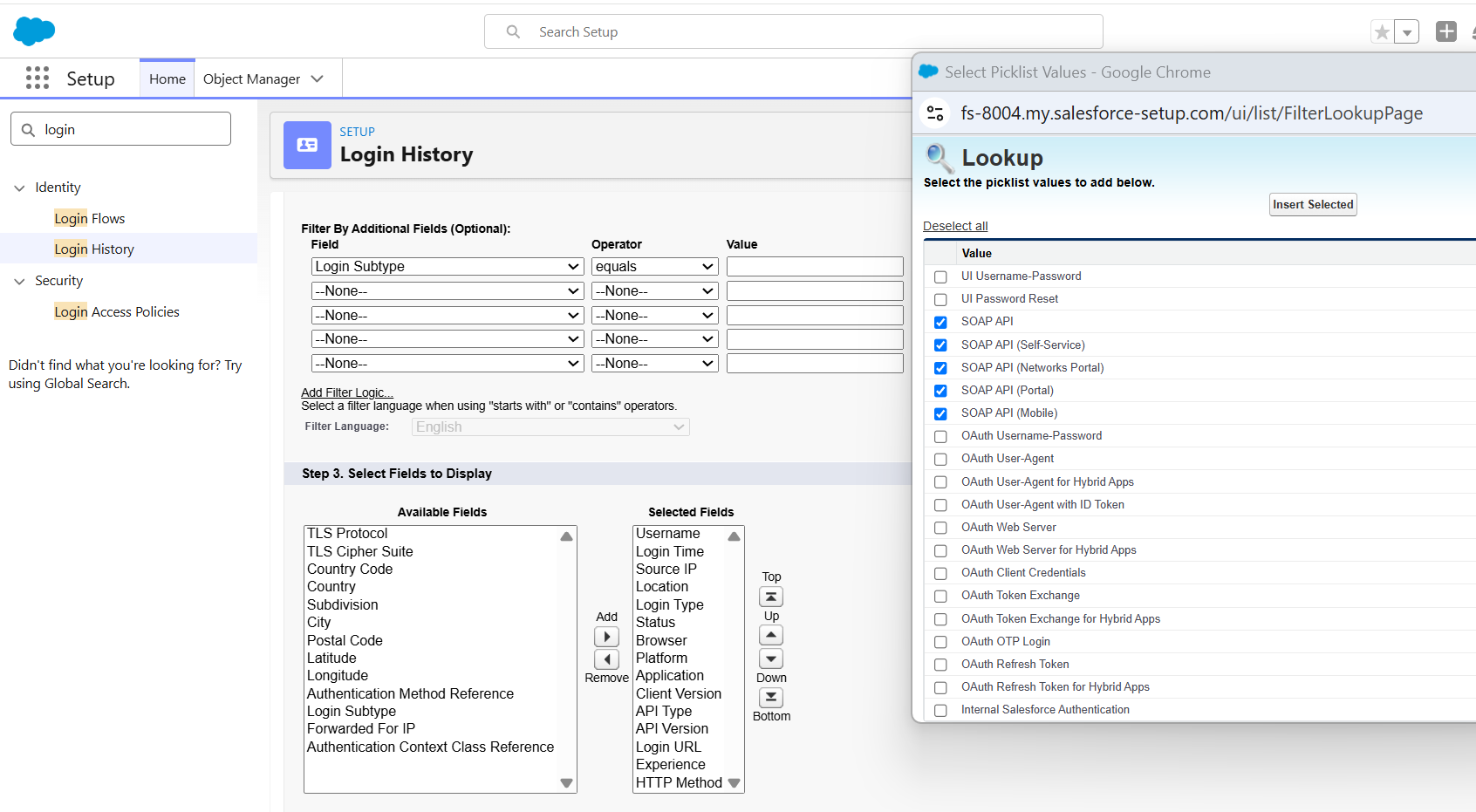
Create a list view filtering on Login Subtype, including:
-
SOAP API
-
SoAP API (Self-Service)
-
SOAP API (Newtorks Portal)
-
SOAP API (Portal)
-
SOAP API (Mobile)
-
-
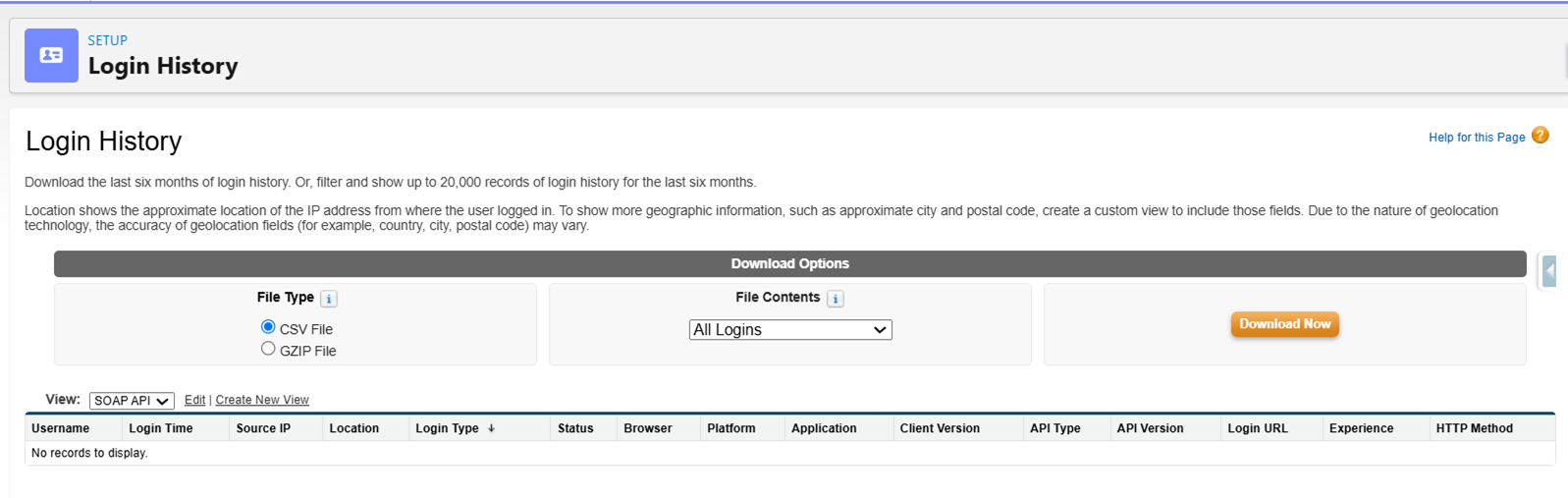
Review the results:
-
If the system returns records, this indicates SOAP API activity
-
If the system returns no records, it's unlikely you're using SOAP API
-
Additional permission set required from Winter '27 (October 2026)
Any user authenticating via SOAP API will need the Use Any API Auth User permission. If they don't have this, they'll see an error that reads Insufficient_Access.
-
Go to Setup and select Permission Sets.
-
Click New.
-
Enter a name in the label. For example, API Auth.
-
Click Save.
-
Enter API Auth into the search and click on Use Any API Auth.
-
Click Edit.
-
Check the box next to Use Any API Auth.
-
Click Save.
-
Click Manage Assignments.
-
Click Add Assignments.
-
Select any users that use SOAP API.
-
Click Next, then Assign.