Migration to Flows |
Troubleshooting
Flows that don't migrate
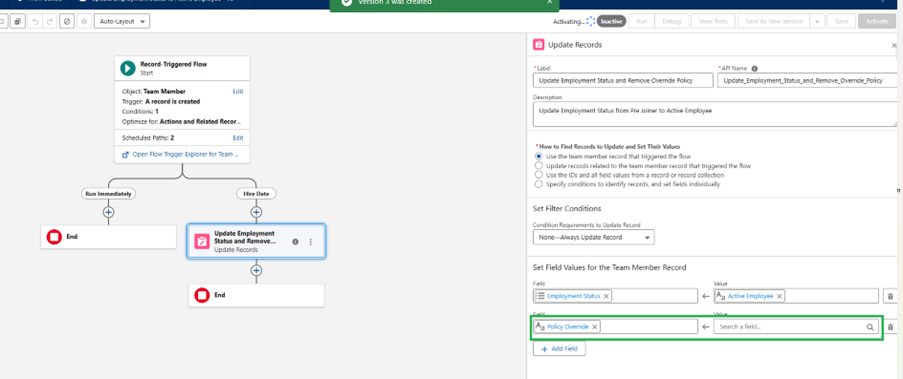
Remove policy from prejoiner
This Process Builder won't convert into a flow because there's a condition in the Criteria with a formula.
When migrating the flow, you'll see this error message:

You'll need to create the flow from scratch. We recommend that you add this to the Update Employment Status to Active Employee flow.
You can migrate this flow from the existing workflow rule. You only need to add an additional entry to the Update Records component as shown here:
Flows that don't work as expected after migration
Update Recruiter and Hiring Manager Email on Recruit
The flow fails after you migrate the process builder ‘Update Recruiter and Hiring Manager Email on Recruit".
You need to change the field values from the formulas that you migrate across:
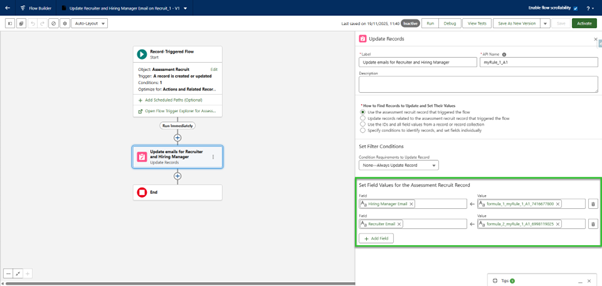
To resolve this, edit the field values that must be set as shown below:
Set Filter Conditions-
Field Application
-
Operator: Is Null
-
Value: False
Field 1
-
Field: Hiring Manager Email
-
Value: All Resources > Application > Hiring Manager > Email
Field 2
-
Field: Recruiter Email
-
Value: All Resources > Application > Email
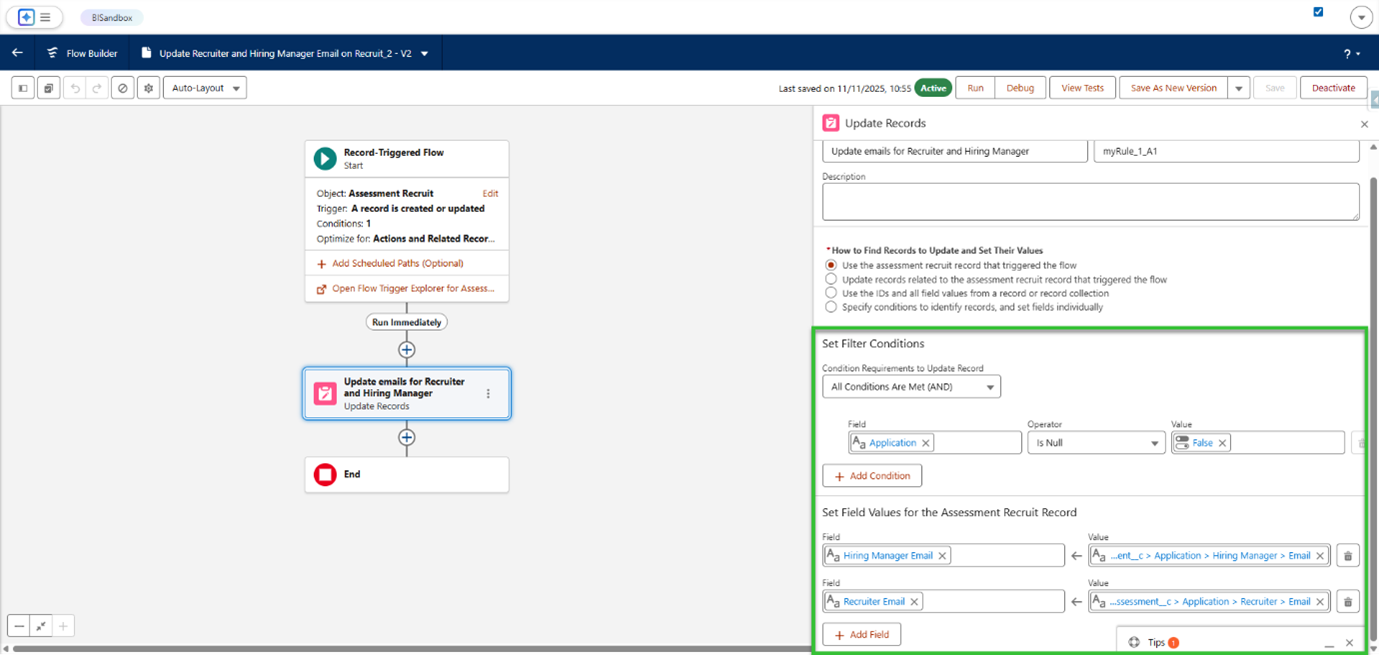
After you save these changes, you can re-activate the Flow. The Flow will now work correctly and will update the fields.
Update Unique ID from Auto Num
When you convert this workflow, the Flow Migration tool sets the Optimize Flow to Fast field Updates.
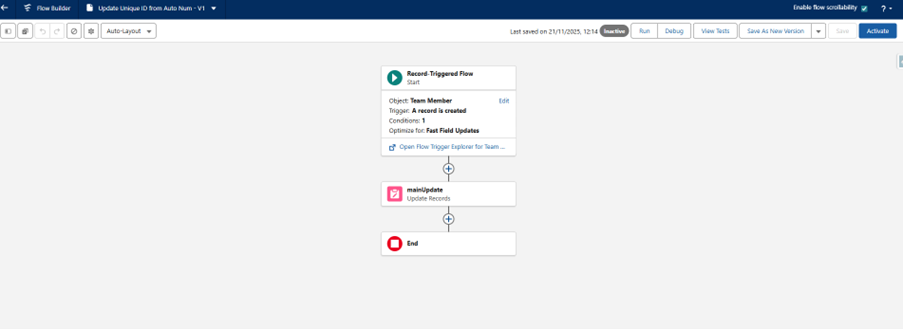
You need to amend this in order for the flow to work. Change it from Fast Field Updates to Actions and Related Records.
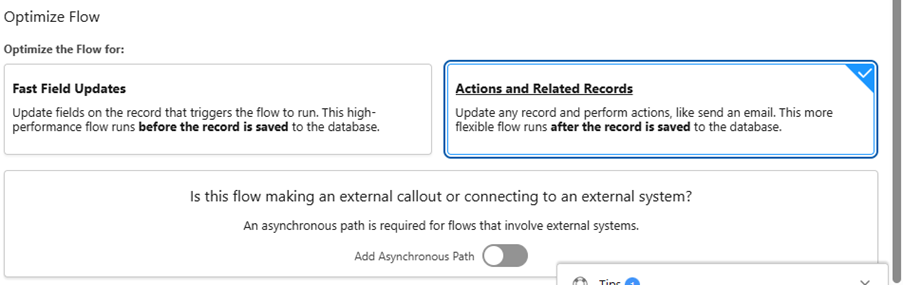
You can now save and activate the flow.